
For: Owners, managers and bookkeepers · Time: ~3 minutes
Quick summary
- Each charge's tax class decides which taxes apply to it.
- A discount lowers every taxable amount by the same share before tax is worked out.
- Each tax is rounded once per invoice, to the nearest cent.
- When you send the invoice, it keeps the rates, classes and the exemption decision it went out with.
What gets taxed
Each charge on the order has a tax class. In each Tax Group on the order's Service Location, the class is answered Taxed or Not taxed. To set this up, see Set Up Taxes by Jurisdiction.
Find the tax on an invoice
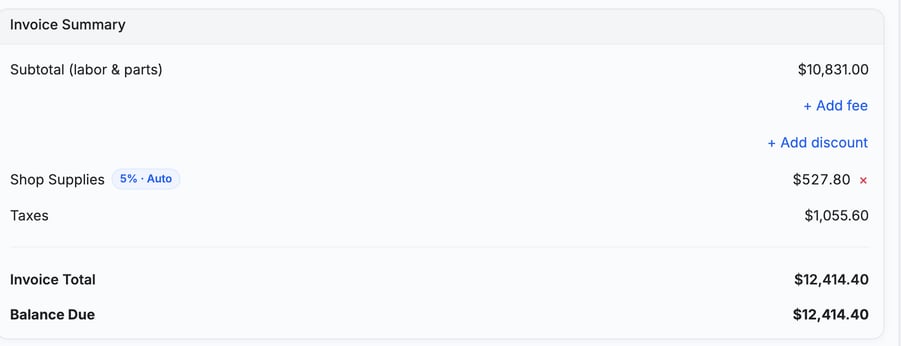
Open the order and click the Invoice tab. The Invoice Summary card shows one Taxes line with the total tax. Your customer sees the same Taxes row on the emailed invoice, its PDF and the customer portal.
The Sales Tax Export report lists the same tax for each invoice. See File Sales Tax With the Sales Tax Export.
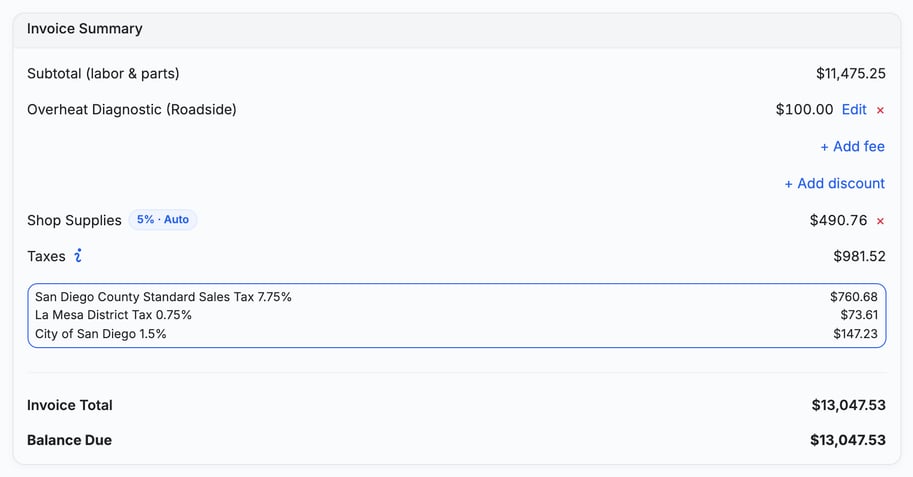
When an invoice has two or more taxes, staff see an info button beside Taxes. Invoices sent before November 12, 2026 don't have the button. Click it to list each tax with its rate and amount. Your customer still sees one Taxes row. If the order has changed since the invoice was sent, the list says it was worked out from the order now.
How a discount changes the tax
A discount lowers every taxable amount by the same share, before any tax is worked out. You don't pick which charges it applies to.
Example: an order has $200.00 of charges, all taxable, and a $20.00 discount. The share is the discount divided by the invoice's pre-tax total, taxed and untaxed charges alike. Here all $200.00 of charges are taxable, so the discount is 10% and each taxable amount drops 10%. At an 8% rate, the tax is $14.40 (8% of $180.00) instead of $16.00. This is an example with round numbers, not your rates.
How tax is rounded
MetaFleet works out each tax once on everything it applies to, then rounds it to the nearest cent. Half a cent rounds up. It does not round line by line.
Example: two taxable charges of $10.10 at an 8.25% rate. Rounded line by line, each is $0.83, so $1.66. MetaFleet works out 8.25% of $20.20, which is $1.6665, and shows $1.67.
If your calculator is a cent off, round once on the combined amount, not on each line.
Invoices sent before this rule went live in early October 2026 keep the older math, which rounded up once per charge type. Their totals never change.
When the tax stops changing
Until you send an invoice, its tax follows your current settings. When you send it, the invoice keeps the rates, tax classes and the exemption decision it went out with.
- If you change a rate or a class later, it changes only orders you haven't sent yet.
- If you add a charge after sending, such as a late fee, that charge is taxed at that day's rates.
- Exemption certificates are checked on the day you send the invoice. For a charge added later, they're checked on the day it's added.
Late fees use the Late fees class and interest uses the Interest class. Both start as Not taxed, so neither is taxed until you answer Taxed for its class. See Late Fees and Interest on Overdue Invoices.
If your QuickBooks company uses Automated Sales Tax
Unless you choose otherwise, every invoice goes to QuickBooks with MetaFleet's tax, and the rules on this page apply. Your Tax Groups become QuickBooks Tax Codes.
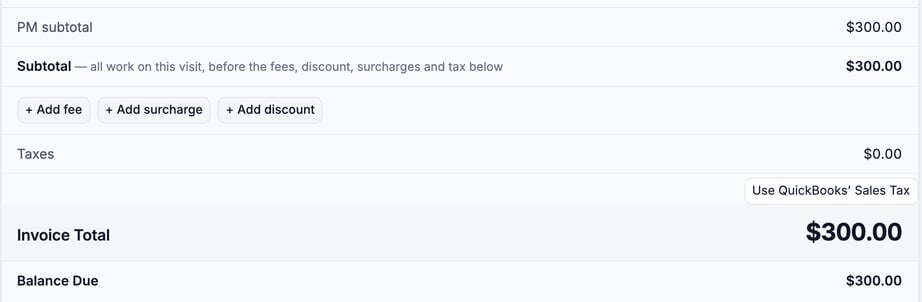
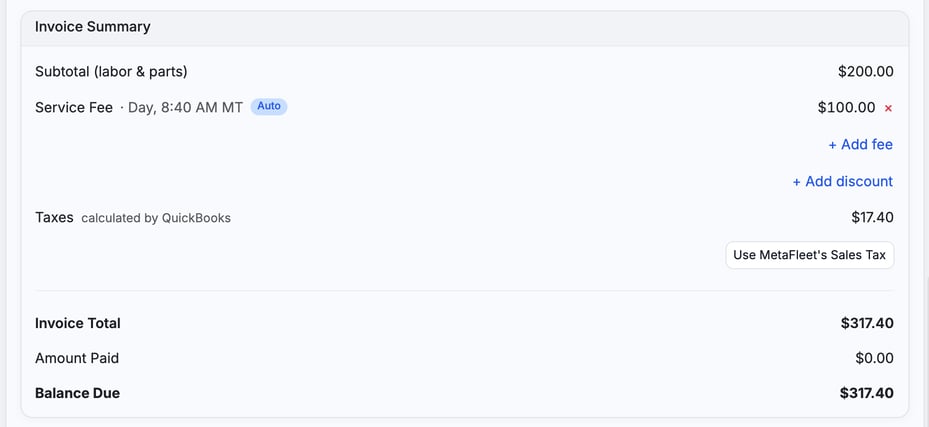
If you want QuickBooks' own figure instead, staff can click Use QuickBooks' Sales Tax under Taxes on the Invoice tab, or in the estimate's details while it can still be edited. The button is greyed out until the customer is linked to QuickBooks. Staff see calculated by QuickBooks beside Taxes. Click Use MetaFleet's Sales Tax to go back. Your customer sees only a Taxes amount, never where it came from.
- On a repair order, the choice belongs to the order. The estimate, the approval page and the invoice all start from it.
- If the order changes, MetaFleet's tax applies again until someone clicks the button again.
- When QuickBooks works out the tax, the discount and rounding rules on this page don't apply to that figure, and the info button doesn't list taxes.
If MetaFleet staff have turned off invoice posting to QuickBooks for your company, there's no Use QuickBooks' Sales Tax button. You'll see Invoices aren't going to QuickBooks on the QuickBooks card.
See How Sales Tax and Exemptions Work with QuickBooks.
Troubleshooting
| Symptom | Likely cause | Fix |
|---|---|---|
| I changed a rate, but a sent invoice kept the old tax. | A sent invoice keeps the rates it went out with. | Nothing to fix. The new rate applies to orders you haven't sent yet. |
| The tax is a cent off from my calculator. | You rounded each line. MetaFleet rounds once per tax. | Add up the taxable amounts, take off the discount share, apply the rate, then round once. |
| A late fee or interest charge has no tax. | Its class (Late fees or Interest) is Not taxed in the Tax Group. | Answer Taxed for that class in the Tax Group. See Set Up Taxes by Jurisdiction. |
FAQs
Does a discount reduce tax?
Yes. It lowers every taxable amount by the same share before tax is worked out.
Which rates does a charge added after sending use?
The rates in effect the day it's added.