
Technicians who buy a part out in the field, and the service writers who turn those receipts into purchase orders.
What you'll learnHow to capture a receipt on the job, how the office finds it and turns it into a draft purchase order, and how to review that draft.
The short version
- On the job, snap the receipt under Evidence (camera or your photo gallery).
- The service writer gets an alert that opens the service order's Files tab.
- They tap Turn into PO, review the lines next to the receipt image, and create the draft.
Open the photo helper.
On the service order, under Evidence, tap Receipt or vehicle photo? and choose A receipt or part you bought.
Snap each receipt — or pick one from your gallery.
Tap Add on the Receipts slot to capture the receipt. On the app you can take a clear photo now or choose one you already have in your gallery. You can add several — one shot per receipt. There's no PO number to fill in; the office matches it up later.
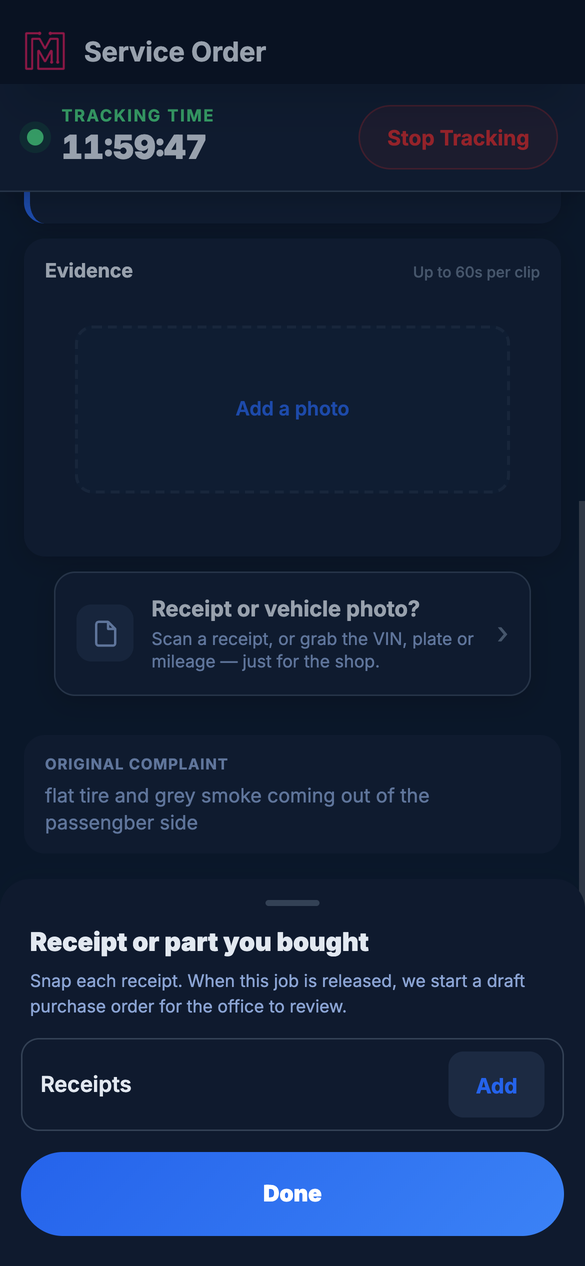
Tap Add to capture the receipt — the office takes it from there.
In the office — turn it into a POWhen the receipt is ready, MetaFleet notifies the service writer and reserves a PO number for that receipt. The alert opens the Files tab of the service order, where each reserved receipt shows a Turn into PO action. (The notification email links to the same place.) Nothing is created until a person acts — the draft only exists once the writer reviews and creates it.
Open the alert (or its email).
Both land you on the service order's Files tab, where the receipt sits with its Turn into PO action.
Tap "Turn into PO".
MetaFleet reads the receipt and opens the create-PO page. While it reads, you'll see a short processing animation — then the parsed lines appear.
Review the lines against the receipt.
The page shows the receipt image right there, so you can read it yourself even if a line came through unclear. Check the vendor and each line, match every line to a catalog part, then create the PO.
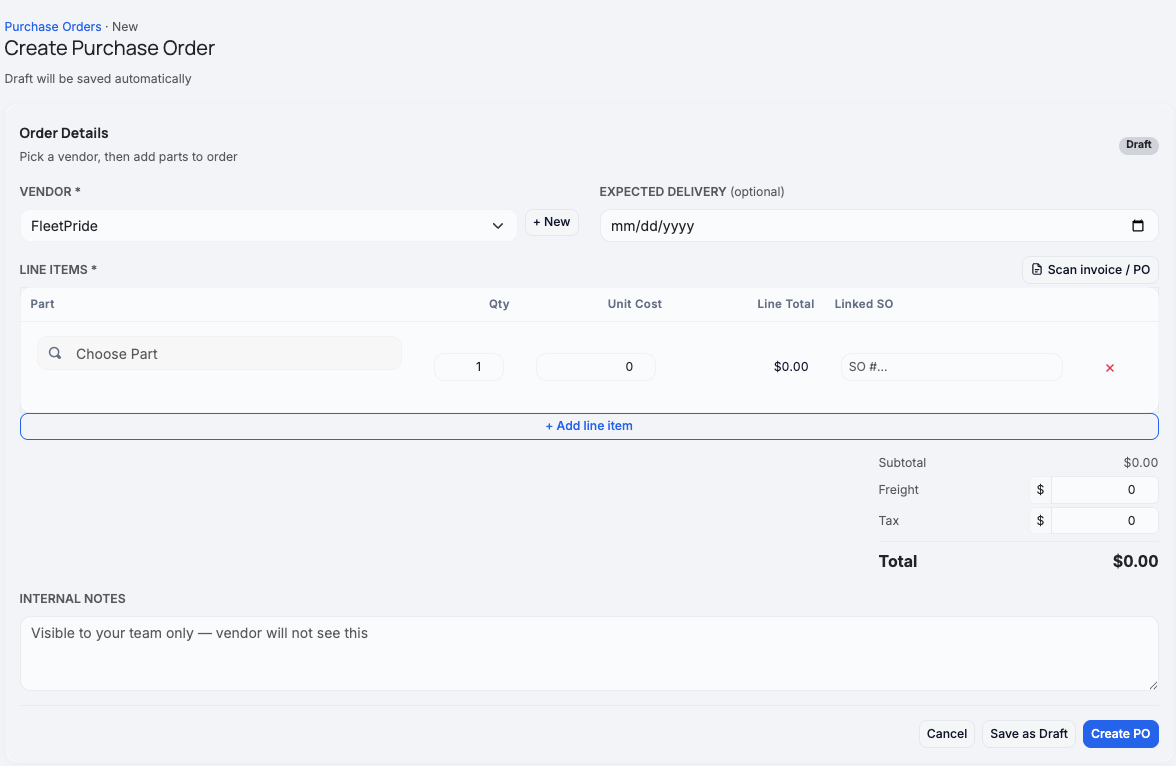
The receipt image sits next to the parsed lines so you can read it yourself — tap it to view full-size.
The resulting draft carries a "From tech receipt" marker so the office knows it came from the field. Because it's a record of a purchase already made, the lines are treated as already paid / reimbursable rather than an order to place. The same create-PO page also has a Scan invoice / PO button to read a paper invoice or PO directly.
Match the part before receiving. A parsed line starts without a catalog part. Pick the real part in the draft — receiving is blocked until a line is matched, so stock never moves against a blank part.
If the receipt can't be read. MetaFleet will say "We can't read the receipt. Retake the photo or enter the lines by hand." You can type the lines into the create-PO page yourself — the receipt image stays on screen so you can read straight off it.Troubleshooting
| Symptom | Likely cause | Fix |
|---|---|---|
| "We can't read the receipt" | The photo was blurry, dark, or at an angle | Retake a clearer, straight-on photo, or enter the lines by hand on the create-PO page (the receipt image stays visible). |
| The parsed part is wrong or blank | The receipt text was unclear | Fix the line and match it to the right catalog part, reading off the receipt image shown on the page. |
| No "Turn into PO" action on the receipt | That receipt was already turned into a PO | Open the existing draft from the Purchase Orders list — it carries the "From tech receipt" marker. |
| The email link sent me to a login screen | Older link built from the wrong site address | This is fixed — the link now lands on the site where you sign in. Open it again, or reach the receipt from the in-app alert. |
| I can't receive the PO | A line isn't matched to a part yet | Match every line to a catalog part, then receive. |
Do I have to enter the PO number on the job?
No — just snap the receipt. The office matches and numbers it.
When does the draft PO get created?
When a service writer opens the receipt from the Files tab, taps Turn into PO, and creates it. Snapping the receipt only reserves a number — the draft doesn't exist until someone reviews and creates it.
Can I choose a receipt photo from my gallery instead of using the camera?
Yes — on the app, the Receipts slot's Add button lets you take a photo or choose one from your gallery. Either way the photo goes through the same reading and PO path.
What if MetaFleet can't read the receipt?
It tells you so and asks you to retake the photo or enter the lines by hand. The receipt image stays on the create-PO page so you can read it yourself.
Is the PO sent to a vendor automatically?
No — a receipt PO is a record of a purchase you already made. It's reviewed, not placed.
Can the office scan a paper invoice too?
Yes — Scan invoice / PO on the create-PO page reads it and pre-fills the lines.