
For: Admins and owners · Permission: Manage account settings · Time: ~5 minutes
Quick summary
- Open Settings › Company Profile › General.
- Update Company Details and the Company Phone Numbers card.
- Update the Primary Address.
- Pick your Company Timezone.
Before you start
- To open Company Profile you need the Read account settings or Manage account settings permission. To change anything you need Manage account settings. Without it, Edit is hidden on the four cards, and the service refuses a save with You do not have permission to change the company's details.
- Have your company name, main phone number, street address and local timezone at hand.
Open the General tab
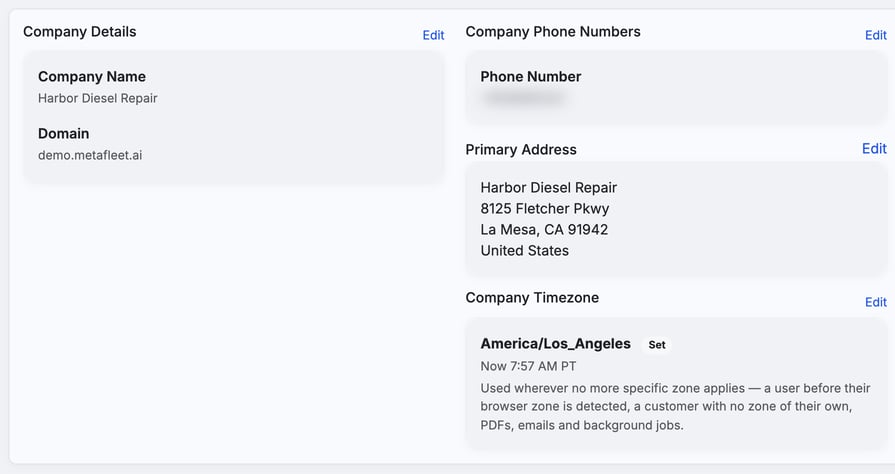
Click the ⚙ Settings icon, then choose Company Profile under COMPANY. The page has three tabs: General, Appearance and Brands. General opens first and holds four cards.
Update your company name
The Company Details card shows your Company Name and Domain.
- Click Edit on the card.
- Change the Company Name.
- Click Save, or Cancel to leave it as it was.
The Domain is read-only. You can't change it here.
Update your company phone number
- Click Edit on the Company Phone Numbers card.
- Enter the number in the Phone Number field, including the country code.
- Click Save. To remove the number, clear the field and save.
Most customer emails show this number in the footer. If you leave it empty, the footer says Questions about your service? Chat in your service order. instead.
Update your primary address
The Primary Address card is where your shop is based.
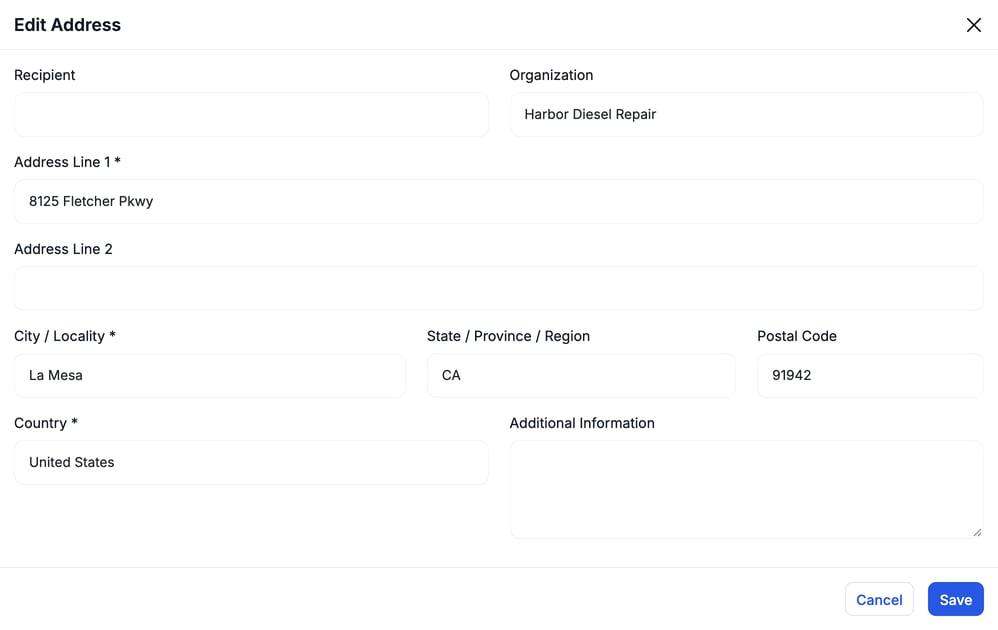
- Click Edit. The Edit Address window opens.
- Fill in Address Line 1, City / Locality and Country. Those three are required. Add State / Province / Region and Postal Code as well. Recipient, Organization, Address Line 2 and Additional Information are optional. Organization usually repeats your company name.
- Click Save.
Set your company timezone
The Company Timezone card is the fallback zone. When a zone is set, the card shows it with a Set badge and the current time there, for example Now 7:49 AM PT. If it reads Not set — falling back to UTC, set it now. MetaFleet uses it wherever no more specific zone applies: a user whose browser zone isn't detected yet, a customer with no zone of their own, PDFs, emails and background jobs. Order, visit and invoice numbers also carry the date in your company timezone, so an order created at 6 PM Pacific gets that day's date.
- Click Edit on the card. If no timezone is set yet, the card shows Action needed and a Set timezone button instead.
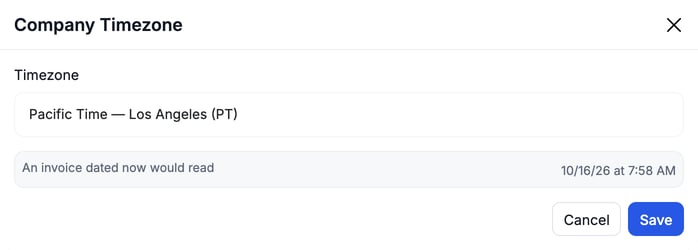
- Pick your zone from the Timezone list, for example Pacific Time — Los Angeles (PT). If yours isn't listed, choose Other (enter IANA id…) and type it, for example
Europe/Dublin. If the window suggests the zone your browser reports, click Use this to take it. - Check the line An invoice dated now would read. It shows the current time in the zone you picked, so a wrong choice is easy to spot.
- Click Save.
If the timezone is not set, invoices, statements, reports and scheduled jobs show in UTC for anyone whose own timezone hasn't been detected. Customers on the customer portal are always affected.
Appearance and Brands
Your logo, colors and welcome message live on the Appearance tab. See Set Your Company Logo, Colors and Welcome Message.
If you run more than one brand, set each one up on the Brands tab. See Add and Manage Brands.
Troubleshooting
| Symptom | Likely cause | Fix |
|---|---|---|
| There is no Edit link on a card, or no Set timezone button | Your role can't manage account settings | Ask an admin to make the change or to update your role. |
| I can't change the Domain | The field is read-only | Leave it as it is. The other fields on the card can be edited. |
| Invoices or emails show UTC times | The company timezone is not set | Set it on the Company Timezone card. |
| I can't save the address | A required field is empty | Fill in Address Line 1, City / Locality and Country. |
FAQs
Do I have to set the timezone?
Yes, it's worth doing in your first week. Without it, anything that falls back to the company zone shows in UTC.
Does the company timezone change what my dispatchers see?
Only where no more specific zone applies, such as a user whose browser zone isn't detected yet. It also sets the date in order, visit and invoice numbers.
Where do I add a second service location?
Under Settings › Company › Service Locations. See Create a Service Location.