
Dispatchers, technicians, and managers who look at stock counts and want to know why "On Hand" and "Available" can disagree.
What you'll learnWhat On Hand, Allocated, and Available mean, the simple relationship between them, and how a part gets allocated, consumed, or released as jobs run.
The three numbers- On Hand: What's physically sitting at the location right now — the count you'd get if you walked the shelf.
- Allocated: Stock that's reserved for open service orders or PM jobs. It's still on the shelf, but it's spoken for.
- Available: What's actually free to use on a new job: On Hand minus Allocated.
On Hand = Available + Allocated. When a part shows Available 0 but On Hand 4, all four are reserved for jobs — nothing is free to grab.A worked example
Here's a part with everything reserved. On Hand is 4, but all 4 are Allocated to open jobs — so Available is 0:
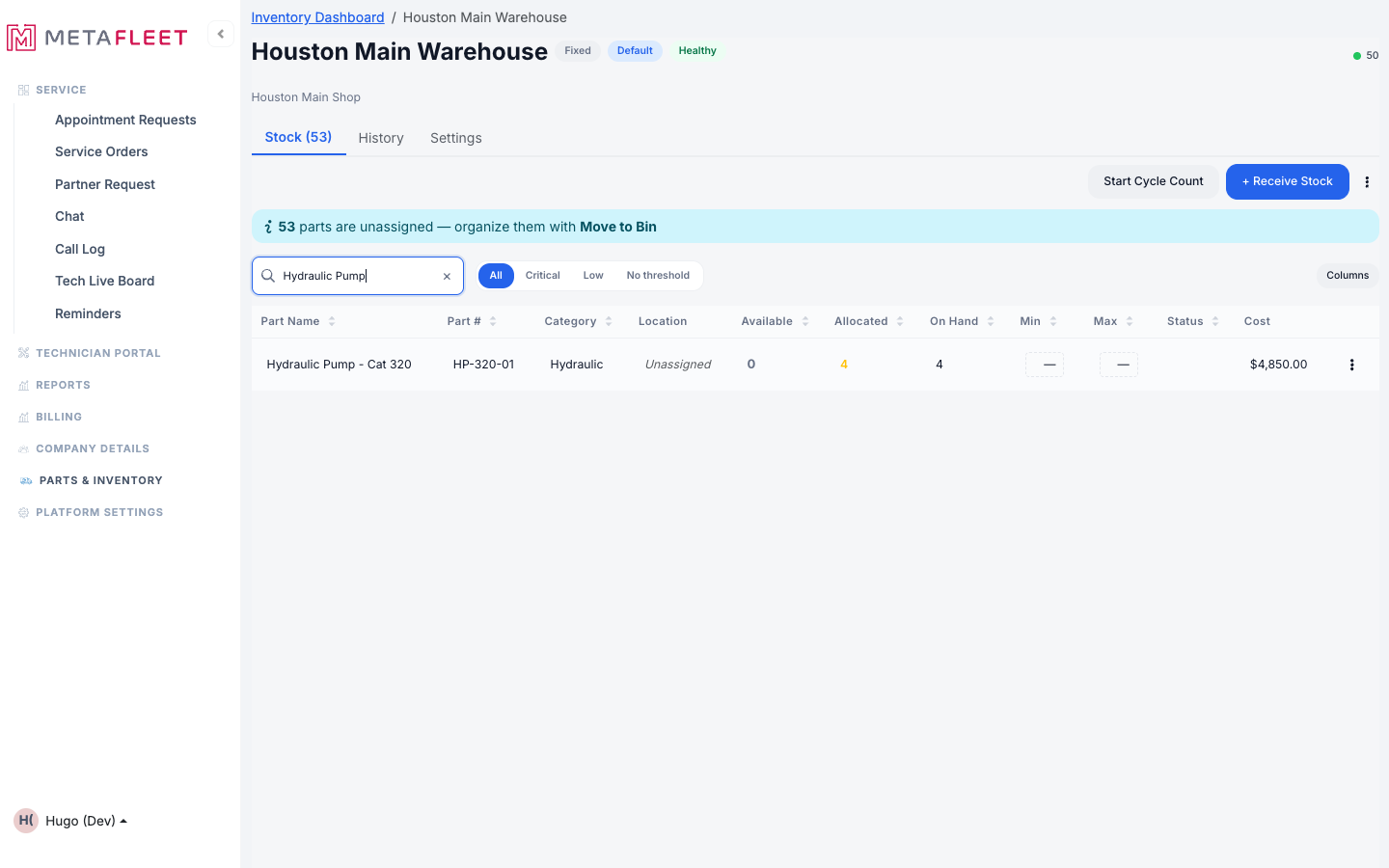
On Hand 4 = Available 0 + Allocated 4. The part is in stock, but every unit is committed.
The lifecycle: allocate → consume → releaseStock moves through three steps automatically as a job progresses — you don't manage this by hand:
Seeing it in the historyEvery one of these steps is recorded on the location's History tab. You'll see Allocate when a job reserves a part, Deallocate when a reservation is released, and the part-leaving entries when work completes — each with the before → after count and the job it relates to.
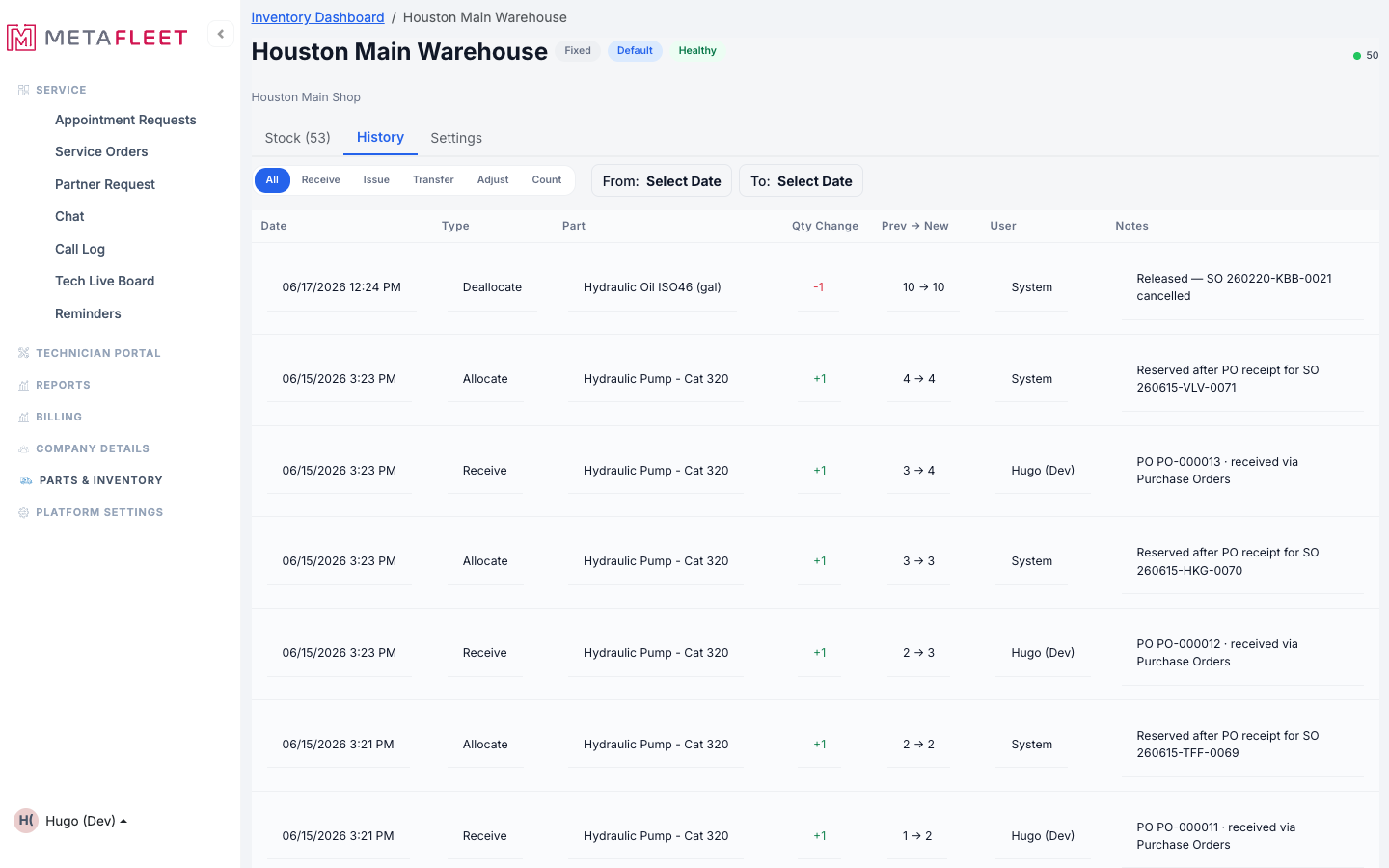
Allocate / Deallocate entries in the transaction log, each tied to its service order.
FAQsWhy is Available lower than On Hand?
Because some units are Allocated to open jobs. Available = On Hand − Allocated.
Do I ever allocate parts manually?
No — allocation happens automatically when a part is added to a service order or PM. To remove stock for non-job reasons, use Issue (see Receive, Issue & Adjust Stock).
What happens to allocated parts if I cancel the job?
They're released back to Available — nothing is consumed.
Does a cycle count include allocated stock?
Allocated units are still physically present, so the Expected count already reflects them — you count what's on the shelf.