
For: Dispatchers & Service Managers · Permission: Manage appointments · Time: ~3 minute read
Who this is forAnyone who runs the PM schedule day to day — booking, confirming, and tracking visits across the fleet.
What you'll learnThe four views of the Service Workspace and when to use each, plus how to find and open any appointment.
Getting thereGo to Service → Appointment Requests. Four views sit across the top: Calendar, Needs Confirmation, List, and Enrollment Opportunities. + Create Appointment is always in the corner.
Calendar viewThe default — a week grid with each day's appointment count, so you can see your load at a glance and pick open time. Page between weeks, jump to Today, and filter by technician.
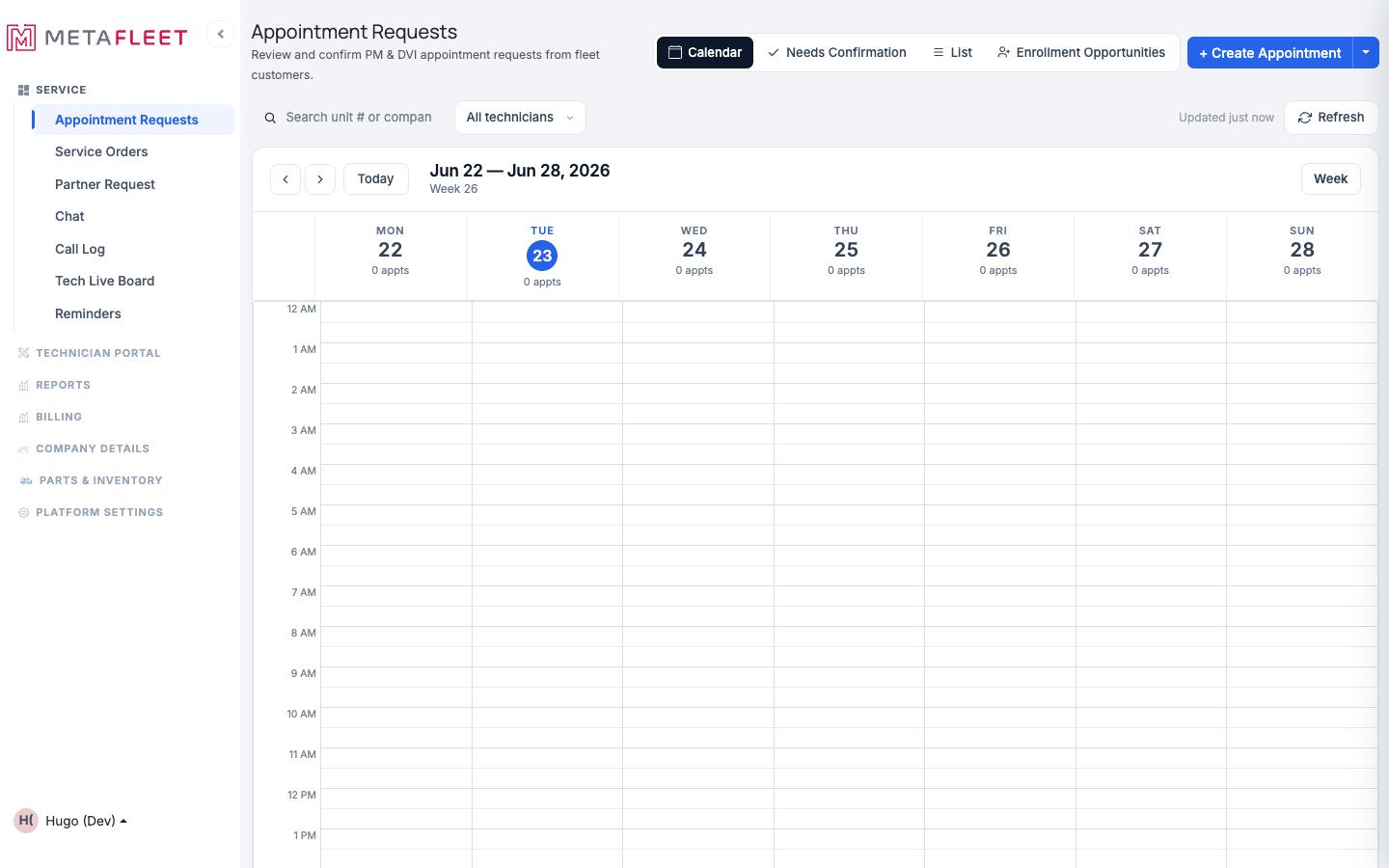
Calendar view — the week at a glance, with per-day counts and a technician filter.
List viewA filterable table of every appointment, with status sub-tabs — All, Requested, Confirmed, In Progress, Declined, Cancelled, Completed — and search. Best when you're working a queue (e.g. everything that still needs confirming) rather than a date.
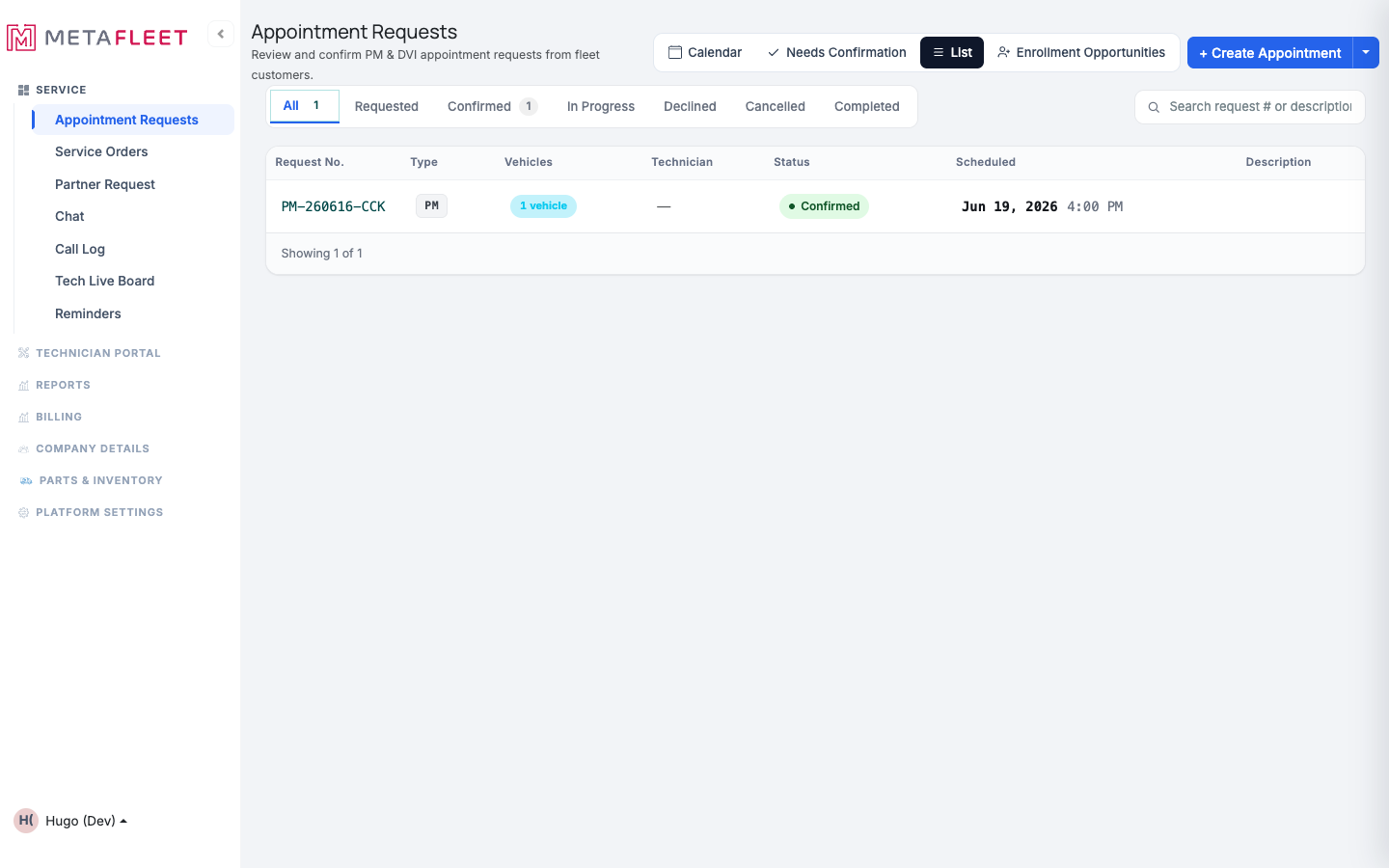
List view — filter by status and scan request number, type, vehicles, technician, and scheduled time.
The other two views- Needs Confirmation: Just the requests waiting on you to confirm — clear them out without hunting through the calendar.
- Enrollment Opportunities: Un-enrolled vehicles worth putting on a PM program — a quick way to grow the schedule. (See Enrolling Vehicles in a PM Program.)
Click any appointment — on the calendar or in the list — to open its detail page, where you confirm, reschedule, cancel, record arrival, or start service. (See Confirm, Decline, Reschedule & Cancel PM Appointments and Record Arrival & Start Service.)
Tip: Use List → Confirmed to plan the day's route, and Needs Confirmation first thing each morning to clear pending requests.Troubleshooting
| Symptom | Likely cause | Fix |
|---|---|---|
| An appointment isn't on the calendar | It may be in a non-scheduled status | Check the List view's status sub-tabs (Requested, Declined, etc.). |
| I can't find a specific request | It's outside the current week/filter | Use the List view and search by request number or description. |
| A technician's appointments aren't showing | The technician filter is set | Switch the filter back to All technicians. |
Which view should I start in?
Calendar for planning by time, List for working a queue, Needs Confirmation for clearing pending requests.
Can I create an appointment from here?
Yes — + Create Appointment is in the corner of every view (see Scheduling a PM Appointment).
What are Enrollment Opportunities?
Vehicles not yet on a PM program that are good candidates to enroll — a built-in way to fill your schedule.