
Dispatchers, technicians, and managers who want a shared vocabulary for "where is this job right now?"
The main flowA standard repair order walks through these states. The status shows on the order, in the Service Orders list, and on the customer's portal.
Cancelled can happen at any point if the job is called off.
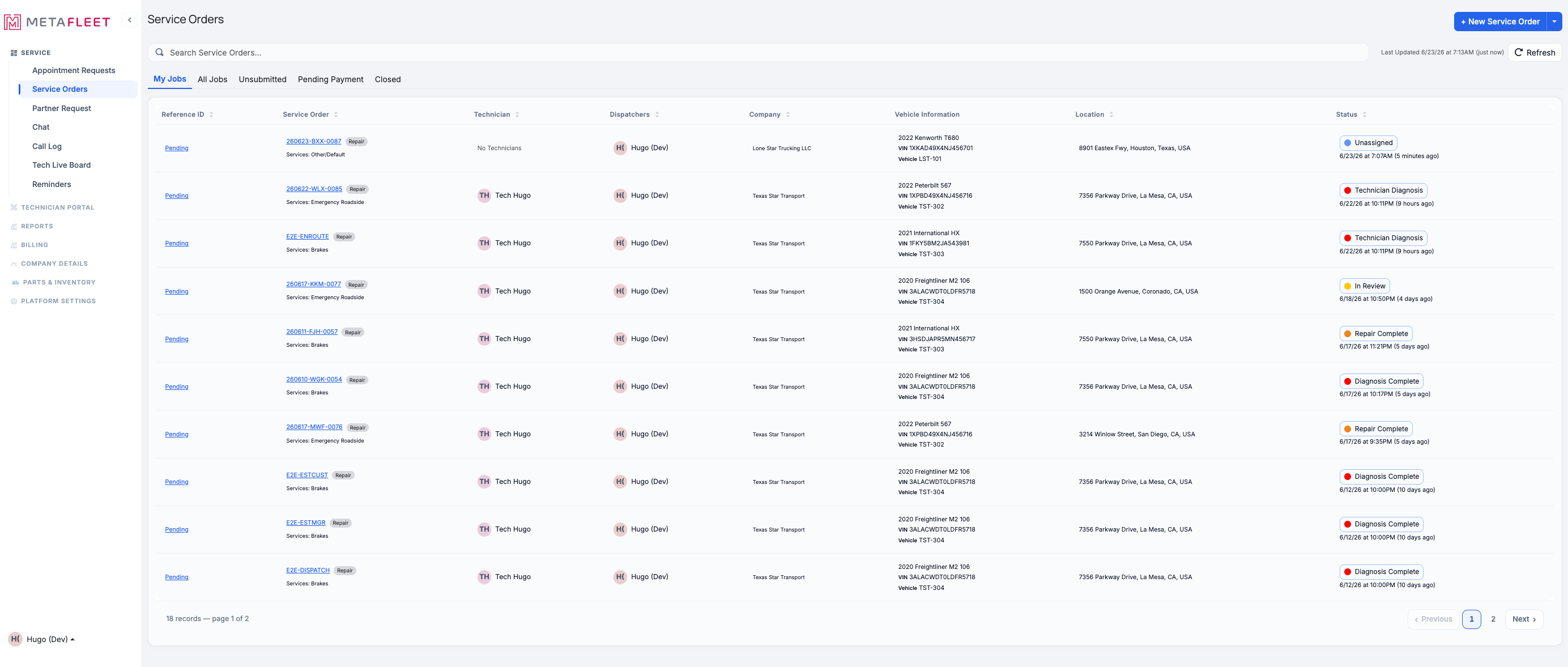
States in the wild — the Service Orders list. The tabs (My Jobs / Unassigned / Pending Payment / Closed) group orders by where they are.
The approval gates (a parallel track)Two transitions can pause for sign-off, depending on your approval settings: the move out of Diagnosis Complete (the estimate) and the move out of Repair Complete (the invoice). When a gate is on, the order shows an approval sub-state instead of advancing:
- Estimate Needs Manager Review: A manager must approve the estimate before the customer sees it or work begins.
- Estimate Needs Customer Approval: The customer must approve the estimate before repairs start.
- Manager / Customer Rejected Estimate: The estimate was sent back — the writer adjusts and resubmits.
- Invoice Review: A manager must approve the invoice before it's sent.
Which gates apply is entirely up to your shop — see Understanding the Approval Gates and Configure Approval Options.
Towing orders follow a variant: after En route they go Loading → In Transit → Delivered instead of the diagnosis/repair path.FAQs
Why is my order stuck at "Diagnosis Complete"?
An approval gate is likely on — the estimate is waiting on a manager or the customer. Check the Estimate tab.
What's the difference between "In Review" and "Invoice Review"?
In Review is the repair check before invoicing; Invoice Review is a manager approving the invoice itself.
Where do customers see status?
In their portal, with friendly labels and a status tracker on each order.