
For: Admins & Service Managers · Permission: Account settings · Time: ~4 minutes
Who this is for
Admins setting up preventative maintenance. You build the library once; everyone else just enrolls vehicles and schedules visits.
What you'll learn
The two building blocks of PM — Service Tasks (reusable work items) and Service Programs (tasks plus intervals) — and how to create each.
Before you start
- You'll need: Account-settings access. Everything lives under Platform Settings → PM Scheduling.
- Two pieces: A Service Task is one job (e.g. Engine Oil Change). A Service Program bundles tasks and says when they happen.
Quick summary
- Go to PM Scheduling → Service Tasks and build your reusable tasks (+ New Task).
- Switch to Service Programs and click + New program.
- Name it, set the First and Every interval (miles or months), and pick the tasks.
Step 1 — Build your Service Tasks
Open PM Scheduling → Service Tasks. This is your reusable library — define a task once and reference it from any program.
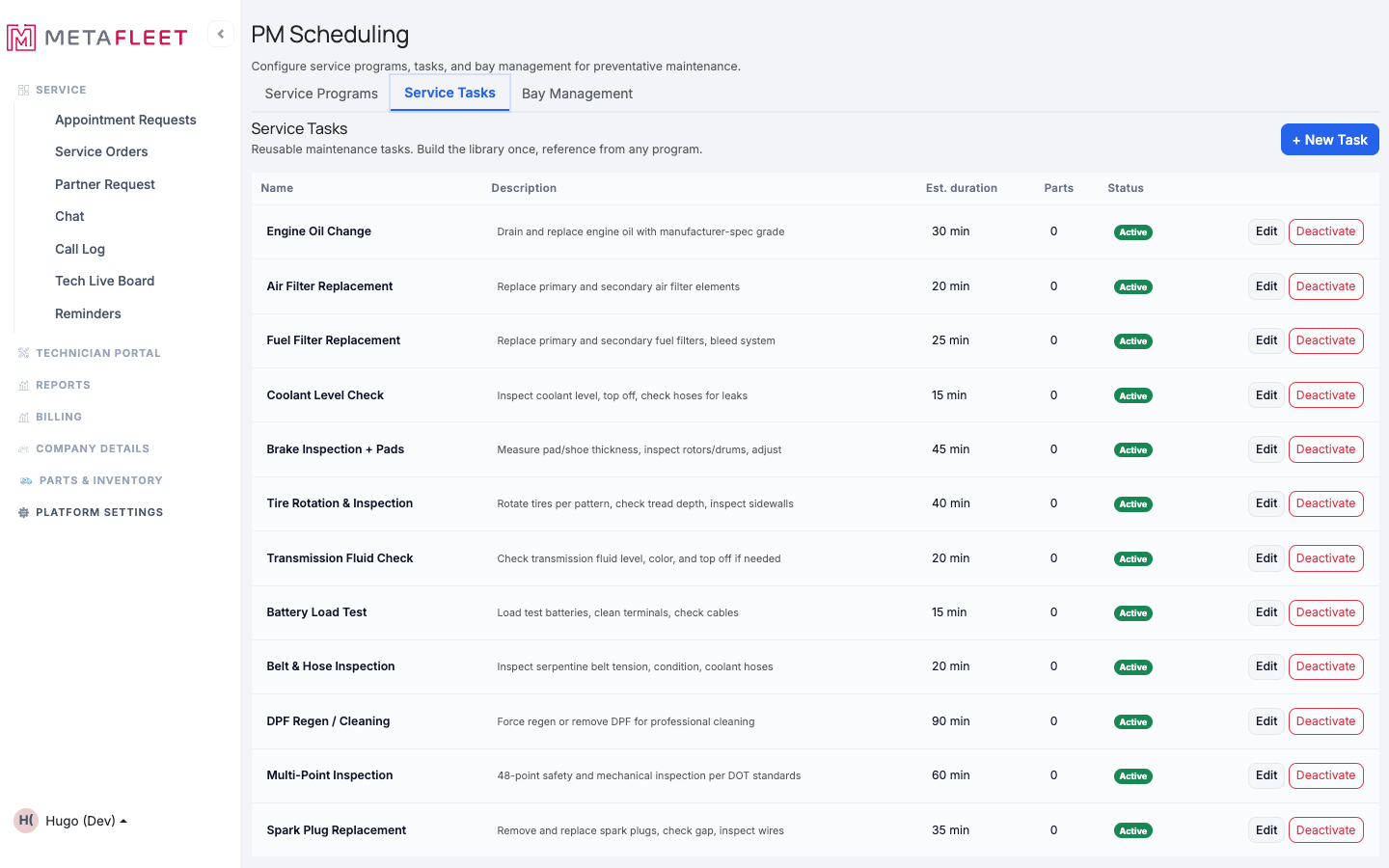
The Service Tasks library — each task carries an estimated duration and the parts it consumes.
Click + New Task and give it a name, a short description, an estimated duration, and the parts it uses. Save it, and it's available to every program. Use Edit or Deactivate on any row to manage the library over time.
Step 2 — Bundle tasks into a Program
Switch to the Service Programs tab. A program defines what gets done at every milestone — all of its tasks fire on each visit.
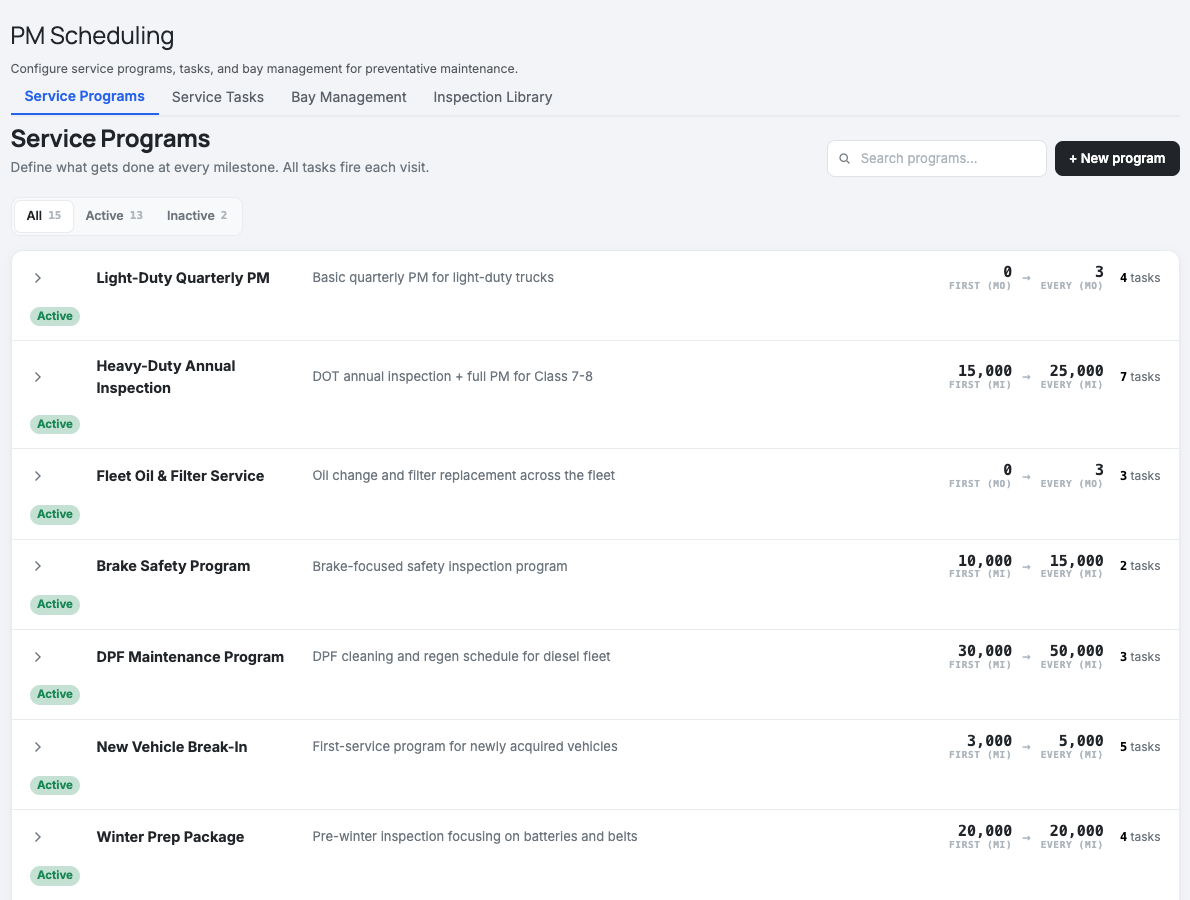
Service Programs — each shows its First service point and the Every recurring interval (in miles or months) and how many tasks it runs.
Create the program.
Click + New program, name it, and write a short description.
Set the interval.
Choose when it's due: a First service point and a recurring interval after that — by miles (e.g. first at 15,000, then every 25,000) or by months (e.g. every 3 months). Whichever comes first triggers the visit.
Add the tasks.
Pick the Service Tasks this program includes. They'll all run on every visit, and the program rolls up the total parts and time.
What's next. With tasks and programs built, you can enroll vehicles in a program (see Enrolling Vehicles in a PM Program) and the system will tell you when each one is due.
Troubleshooting
| Symptom | Likely cause | Fix |
|---|---|---|
| A task isn't selectable in a program | It's deactivated | Reactivate it from the Service Tasks tab. |
| A program never comes due | No interval set | Edit the program and set a First/Every interval in miles or months. |
| The wrong parts are pulled on a PM | The task's parts list is off | Edit the Service Task and fix its parts; programs use the task's current list. |
FAQs
What's the difference between a task and a program?
A task is a single job (with its own time and parts). A program bundles tasks and sets the schedule.
Can one task be in several programs?
Yes — that's the point of the reusable library. Update the task once and every program benefits.
Miles or months — which wins?
Whichever comes first. Set either or both per program.